
Prior to each of our event’s kick-off, there will be a form asking for your pre-event link to be submitted. This form will be located on that event’s information page. Today, I’ll be covering the following:
- identifying the items asked for on the form
- explaining how to obtain the pre-event link (for Blogger and WordPress users)
What is on the Pre-event Link Submission Form
These are the items asked for on the form. Simply type in your responses.
- Name. I ask for this so that if I need to ask you anything, I have something to address you by besides “hey, you!”
- Email. I need your email so I can bug you if I need to.
- Post Link. This is the hyperlink that will lead to your participating event post. When entering this link prior to the event going live, the link should not yet be published (read below on how to obtain a link before it is published).
- Prize Value. If the event is a giveaway hop where each blogger provides a prize, you’ll be asked to enter its retail value.
- Eligibility. If the event is a giveaway hop where each blogger provides a prize, you’ll be asked to enter which country or countries your prize is open to (US, Canada, World Wide, etc.).
How to Obtain the Unpublished Link
On Blogger
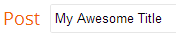
- In edit mode, type in a title for your post. Our example is “My Awesome Title.” Save this post as a draft or schedule it to go live when the event starts.
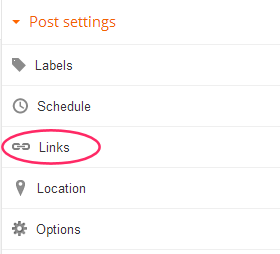
- Still in edit mode, under “Post settings” on the menu to the right, click on “Links.”
 …
… - A permalink will appear (might take a bit to generate). Either copy the Automatic Permalink that pops up or make up a Custom Permalink then copy it.
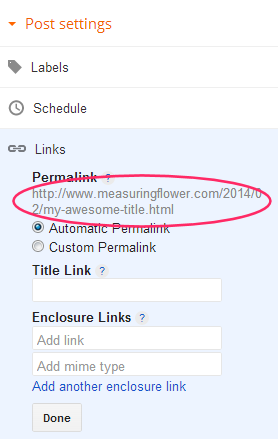
- Paste the permalink as called for in our reporting form.
On WordPress
- In edit mode, once you have a title entered (our example is “My Awesome Title”), save the post as a draft or schedule it to go live when the event starts.
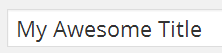
- Still in edit mode, just below where you type in the post’s title, click on the “Get Shortlink” button.

- A small window will pop up. Copy the shortened link that appears in that window. This is the link that you submit in the form.
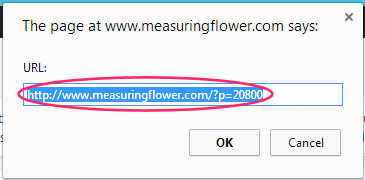
- Paste this link as called for in our reporting form.
And there you have it! If you have any questions, please don’t hesitate to ask.